Copilot for Finance Teams: Where It Fits the Function (2026)
Copilot for finance teams: the Excel, reporting, and close work it actually speeds up, why team consistency matters, and how to verify the numbers.

In this article · 9 sections
A finance function runs on three things: numbers in spreadsheets, the reporting that explains them, and the communication around both. Microsoft 365 Copilot sits inside all three, which is why finance is one of the clearest places it earns its seat. The demand shows it: a Datarails study of more than 5,000 US finance job postings across CFO, FP&A, controller, and accountant roles found AI-skill requirements rising, with accountant postings up the most, from 18% to 30% over the year to January 2026.
But owning the seats is not the same as using them. Independent survey work from Recon Analytics puts the workplace Copilot conversion rate, people with a seat who actually use it, at about 36%. For a finance team, closing that gap is partly a consistency problem, which this page gets to after the workflows.
This is the finance-function view, about the whole team using Copilot consistently. If you are an individual accountant building your own skills, the Copilot for Accountants page is the role-specific version, with the close work and the honest answer on CPE.
Updated June 2026. Figures are sourced inline.
What Copilot does across a finance team
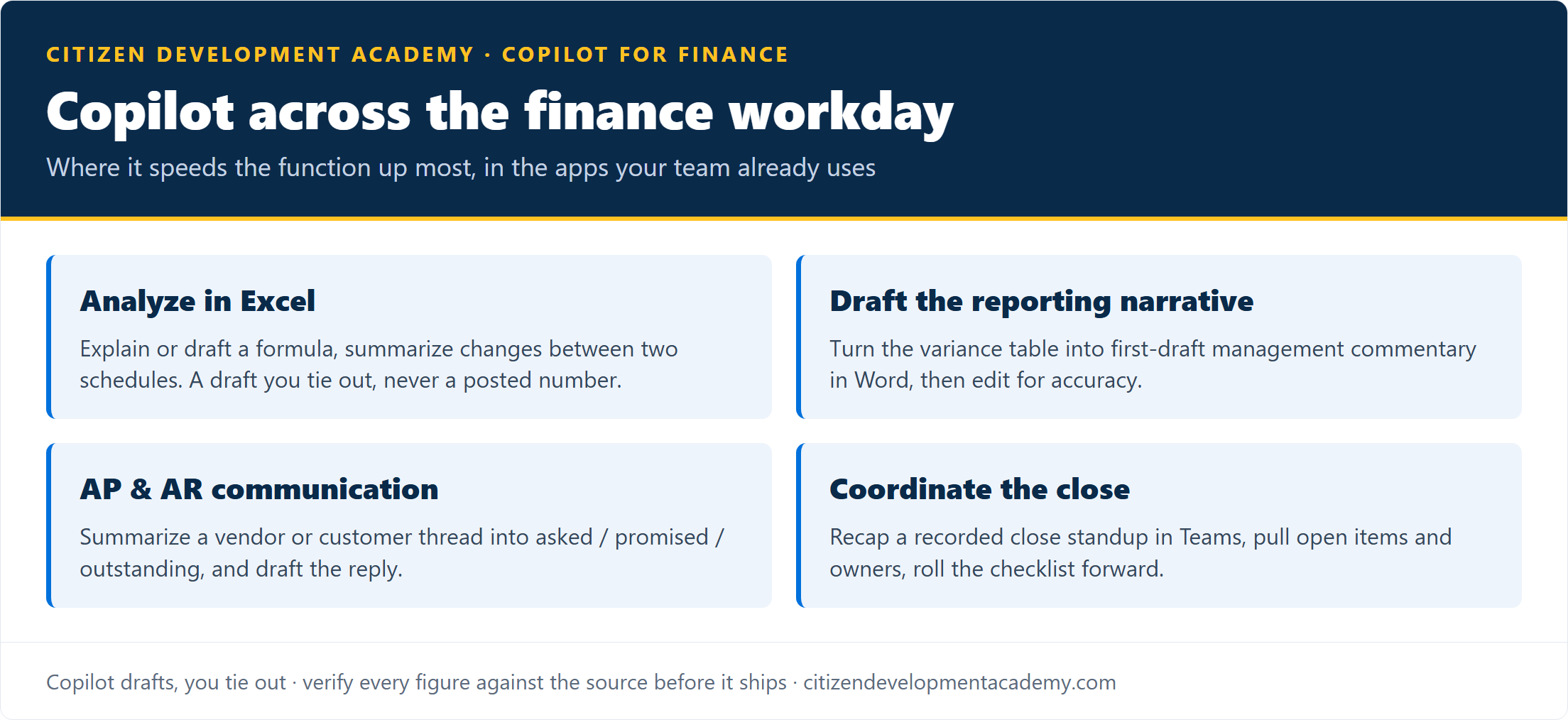
Microsoft 365 Copilot is the paid assistant inside Excel, Outlook, Teams, and Word (licensing on Microsoft Learn); the in-app work below assumes that paid, in-tenant seat, not the free browser Copilot. The finance value clusters where the function already spends its time:
- Consistency across the team’s models. When every analyst builds spreadsheets a little differently, Copilot can document an undocumented model for the next person, and summarize what changed between two versions of a shared schedule so a reviewer is not diffing by eye. The output is a draft you tie out, never a posted number.
- Reporting narrative. Turn the variance table into a first-draft management commentary in Word, the part of the board pack that always runs late, then edit for accuracy and tone.
- AP and AR communication. Summarize a long vendor or customer thread into what was asked, promised, and outstanding, and draft the reply for review.
- Close coordination. Recap a recorded close standup in Teams, pull the open items with owners, and turn last period’s checklist into this period’s with updated dates.
- Forecast and budget write-ups. First-draft the assumptions narrative behind a forecast from your bullet points, so the model and its explanation stay in step.
The rule that matters most in finance: Copilot drafts, you tie out. A summary can quietly transpose a figure or miss a caveat, so anything with a number, a name, or a commitment gets checked against the source before it leaves the team. That discipline is the difference between faster reporting and a confident, wrong board number.
Five Copilot prompts worth keeping for finance
- Apply the team’s commentary format. “Here is our standard variance-commentary format: [paste two example lines]. Apply it to this month’s variance table so every analyst’s writeup reads the same way: one neutral sentence per major variance, no speculation about causes, and a flag on anything I should verify.”
- Hand off an inherited model. “Explain this workbook for a colleague taking it over: the purpose of each named formula, the inputs it expects, and where it breaks if an input is wrong: [paste formulas].”
- Consolidate for the board pack. “Summarize these three analysts’ variance writeups into a half-page executive summary: the items that moved most across the business, one sentence each, in a consistent voice, and flag any figure I should confirm before it goes in the board pack.”
- Coordinate the close across owners. “Roll our close checklist into this period: update the dates, reassign any task owned by someone who is out, flag tasks blocked on another team, and mark the lines a reviewer must sign off before we close: [paste checklist and who is out].”
- Cover for a teammate. “I am covering these vendor accounts while a colleague is out. Across these threads, list each open item, where it stands, anything time-sensitive in the next week, and what the colleague already committed to, so nothing slips while they are away.”
Every prompt here produces a draft, not a finished deliverable. A person verifies the figures and dates against the source before anything is filed or sent.
The part that is a team problem, not an individual one
Here is where a finance function is different from a single accountant. When everyone on the team improvises their own Copilot habits, you get inconsistent commentary, prompts that leak detail they should not, and no shared sense of what gets verified before it ships. The roughly 64% of seats not in regular, active use (the inverse of that 36% figure) rarely come back through individual effort; they come back when the function adopts a shared, reviewed way of working.
That is a finance-leadership move: the controller or FP&A lead decides which workflows are standard, which prompts are sanctioned, and what always gets tied out before it leaves the team. Done once, it lifts the whole team instead of a few power users.
So the right next step depends on who you are:
- Building your own skills? Start with the Copilot for Accountants page, the closest role program (course in build, waitlist open).
- Rolling this out to the team? Private cohort training for the whole function is built around your actual reports and close.
- A different role? The Copilot training by role hub routes each one the same way.
What finance Copilot use is, and is not
Two boundaries finance reviewers always ask about, plus the usual ones:
-
It does not touch the system of record. Nothing posts to the GL, the ERP, or the close package without a person doing it; Copilot drafts and summarizes, it does not book entries.
-
It does not replace review or sign-off. Tie-out, approvals, and controls stay exactly where they were.
-
It needs a paid seat. The in-app workflows need a Microsoft 365 Copilot license: the paid seat is what lets Copilot work inside Excel, Outlook, and Teams over your own tenant files and mail. The free browser Copilot does not ground in your tenant that way, and its data protection terms differ by tier (as of June 2026), which matters for financial data.
-
Confidentiality is a team standard, not eight personal ones. Copilot can use whatever each person’s account can open, so the function needs one shared rule on what never goes into a prompt: draft results, material nonpublic information, anything inside the close-period blackout.
-
This is skills, not CPE. Using Copilot well is a skill, not a credential. The Copilot for Accountants page covers the honest CPE answer for CPAs who need continuing-education hours this cycle.
FAQ
What can Microsoft Copilot do for a finance team?
Across the function: consolidate several analysts’ variance writeups into one board-pack summary, document an inherited model so the next person can pick it up, coordinate the close by rolling the checklist forward and reassigning owners, and let someone cover a teammate’s vendor accounts without losing the thread. Every output is a draft a person ties out against the source before it ships.
Is Copilot accurate enough for financial work?
It is a strong first-draft and summarization engine, not a consistently correct one, so it does not replace tie-out. The workflow is Copilot drafts, a person verifies every figure against the source. Used that way it speeds up reporting and analysis without putting an unchecked number in front of the board.
Should a finance team train individually or together?
Both work, but the bigger return is together. When the team shares a reviewed, consistent way of using Copilot (which workflows are standard, what always gets verified), the whole function improves rather than a few individuals. A finance leader rolling it out is the case for private cohort team training; an individual can start with the Copilot for Accountants course.
Does this carry CPE credit?
No. These are practical skills, not a credentialed CPE course. CPAs who need continuing-education hours this cycle should see the honest options laid out on the Copilot for Accountants page.
Stay in the loop
Get new posts delivered to your inbox. No spam, unsubscribe anytime.
Related articles
Copilot for IT: Governing and Deploying It Safely (2026)
Copilot for IT: why oversharing is the first job, the controls that gate it, how to pilot and measure adoption, and the governance skill to build.
Copilot for Executives: What Leaders Actually Use It For (2026)
Copilot for executives: the inbox, meeting, and briefing work it actually saves a leader, plus the adoption decision only an executive can make.