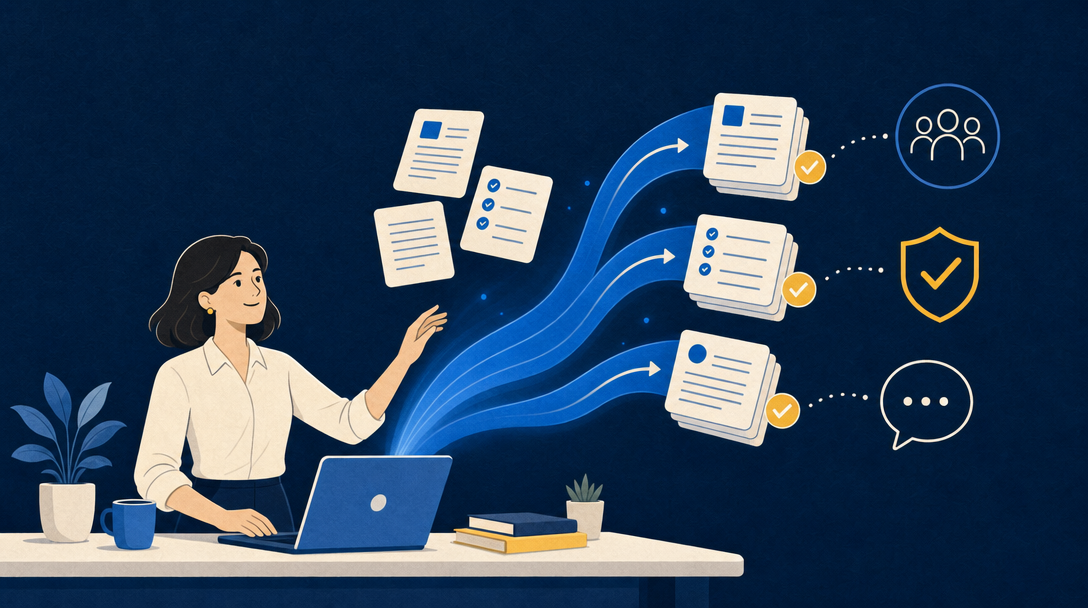
AI literacy has moved from a nice-to-have to a stated HR skill. LinkedIn’s own data, reported through SHRM, puts AI aptitude among the fastest-growing skills HR professionals are adding. The reason is practical: HR runs on documents and communication, which is exactly what Microsoft 365 Copilot is good at.
You do not need to become a data scientist to keep up. This page takes the Microsoft 365 route: the job postings, policies, onboarding, and employee email you already handle, done with less typing and searching, using the Copilot sitting inside the apps you already use.
There is a second reason HR cannot treat AI as optional, and it is one accountants and marketers do not share: hiring is now a regulated use of AI. This page covers the Copilot workflows that fit real HR work, the prompts worth keeping, where the compliance lines actually sit, the honest answer on HR credit, and the $49 course we are building.
Updated June 2026. Statistics and prices are sourced inline and reflect the June 2026 check.
Copilot for HR professionals: why this role, specifically
Microsoft 365 Copilot is the paid per-seat add-on that works inside Outlook, Word, Teams, Excel, and SharePoint, distinct from the free Copilot chat in the browser (licensing details on Microsoft Learn). HR work clusters in exactly those apps:
- Job postings and descriptions. Draft a first-pass job description from a few bullets about the role, then edit for voice and accuracy; rewrite an inherited posting to be clearer and more inclusive. You review every line before it goes out.
- Policies, handbooks, and letters. First-draft a policy update, an offer letter, or a process note in Word from your outline; summarize a long handbook section into a plain-language answer for a manager.
- Employee and candidate email. Summarize a sprawling thread into what was asked and what is outstanding, and draft the reply for your review, in your own mailbox.
- Interviews and meetings. Recap a recorded interview debrief or a planning call in Teams (where recording and transcription were on), pull the action items, and turn them into notes.
- Headcount and survey data. In Excel, ask Copilot to summarize an engagement-survey export or explain a headcount formula; the numbers always get re-checked.
None of this makes the people decisions. The hiring call, the performance judgment, the policy interpretation, and the sign-off stay with you. Copilot compresses the drafting and searching around those decisions, not the decisions themselves. That line matters more in HR than anywhere else, for the legal reason in the next section but one.
AI prompts for HR professionals: five that earn a permanent spot
Five Copilot prompts written for Microsoft 365 and portable to whatever your organization sanctions:
- Job description first pass. “Draft a job description from these notes: [paste role, level, must-have skills, team]. Use clear, inclusive language, avoid jargon and unnecessary degree requirements, and flag any phrasing that could read as age, gender, or culture coded.”
- Policy to plain language. “Rewrite this policy section so a new employee can follow it without HR help, keep every requirement accurate, and list anything that is ambiguous or could be read two ways: [paste section].”
- Thread to action list. “Summarize this email thread in five bullets: what the employee asked, what was promised, open items with owners, deadlines, and anything time-sensitive. Do not infer anything not stated.”
- Interview debrief recap. “From these interview notes, draft a neutral, evidence-based summary organized by the role’s stated competencies, and separate observations from opinions: [paste notes].”
- Onboarding checklist. “Build a first-30-days onboarding checklist for this role from our standard template, grouped by week, and flag any step that needs a system access request: [paste role and template].”
Treat every output as a starting draft, not a decision: names, dates, numbers, and policy details get verified by you before anything sends or posts. Copilot is a strong first-draft and summarization engine, not a consistently correct one. Two failure modes matter most in HR work: plausible-but-wrong summaries (a Teams recap can mis-attribute who said what), and confidently biased phrasing. The course builds a judgment-and-compliance module around exactly those.
The full template pack, organized by HR task rather than by app, ships inside the course.
The line HR cannot blur: Copilot is not your hiring algorithm
This is where HR differs from every other role that uses Copilot. In jurisdictions like New York City, using AI to screen, rank, or score candidates is now regulated, and the rules are not hypothetical. New York City’s Local Law 144 is the clearest example: since enforcement began in July 2023, an employer using an automated employment decision tool to substantially help screen candidates or decide promotions must do two things.
- Run an independent bias audit within the prior year and publish a summary of the results.
- Notify candidates in advance (at least 10 business days) that such a tool is in use.
The city’s Department of Consumer and Worker Protection enforces it, and the penalty schedule runs per violation: up to $500 for a first violation and $500 to $1,500 for each one after, with each day of use and each un-notified candidate counted separately, so the totals compound fast. Other states and the EU AI Act are moving the same way.
The risk is not the tool, it is the prompt. The same Copilot chat is safe or regulated depending on what you ask it to do:
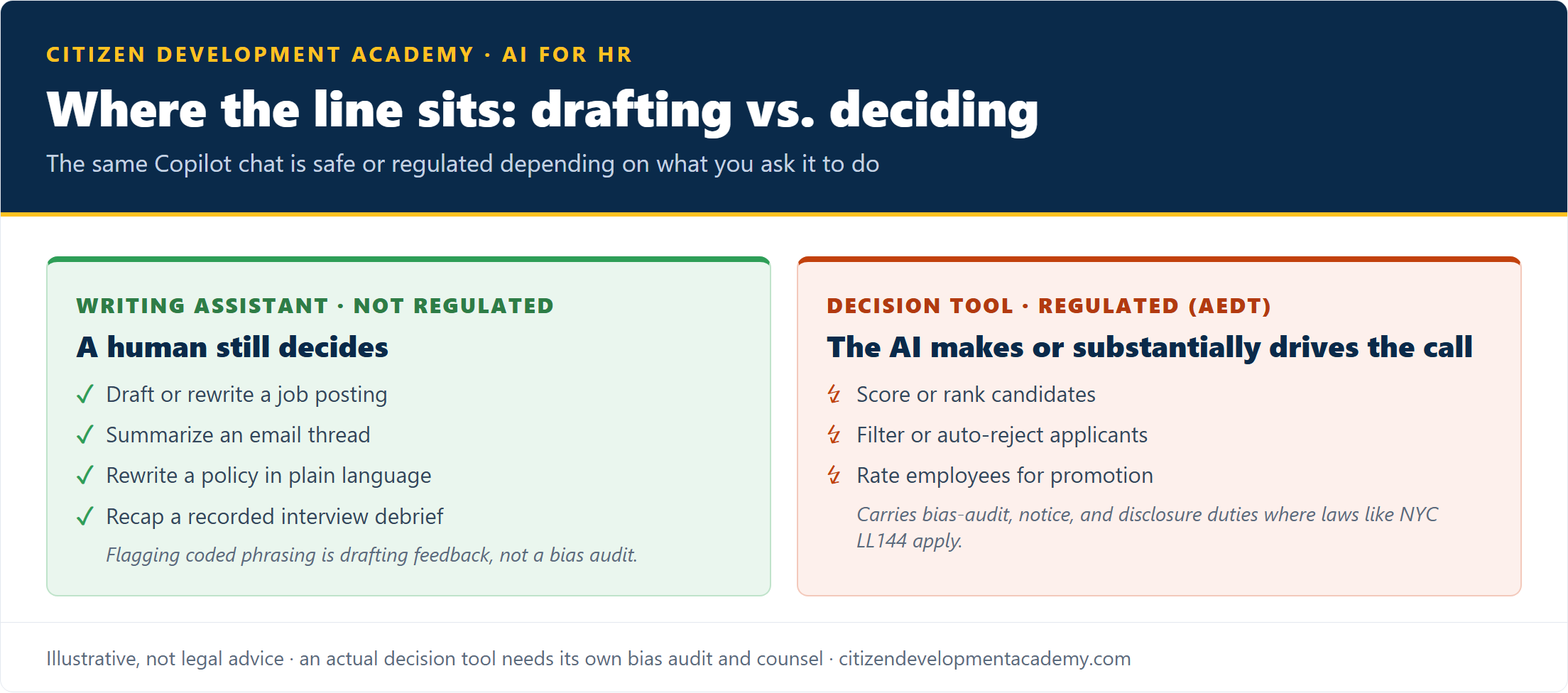
- Writing-assistant use is not a regulated decision tool. Drafting a job posting, summarizing a thread, or rewriting a policy keeps a human making the call. Flagging coded phrasing in a draft is feedback for that human to weigh; it is not a bias audit and does not make a posting compliant.
- Scoring, ranking, or filtering candidates with an AI system is an automated employment decision tool, and it carries the bias-audit, notice, and disclosure obligations above wherever a law like LL144 applies.
The skill HR needs is not just prompting; it is knowing which side of that line a given use falls on. This course teaches the everyday Microsoft 365 Copilot workflows above, and where they stop and a regulated decision begins.
To be clear about the boundary: this course is not legal advice and does not make your organization LL144-compliant. An actual decision tool needs its own bias audit and its own counsel.
Does this count for HRCI or SHRM recertification credit?
This course does not carry HRCI or SHRM recertification credit today. Citizen Development Academy is not a current HRCI or SHRM recertification provider. If that changes, this page will say so plainly, and waitlist members hear first; we will not imply credit we cannot issue.
If recertification credit is what you need this cycle, it exists elsewhere, and we will point you to it honestly. Several established AI-for-HR programs are pre-approved for HRCI or SHRM credit; they are also priced for a training budget, not a $49 self-purchase.
| Program | Format | Price (June 2026 check) | Recert credit |
|---|---|---|---|
| This course (waitlist) | Self-paced + monthly live office hours | $49 | No |
| AIHR Artificial Intelligence for HR | Self-paced, 32.5 hours | $1,125 | Varies; check at enrollment |
| SHRM AI+HI Specialty Credential | Assessment + capstone | See SHRM store | SHRM PDCs |
What this course offers instead is the applied layer at an accessible price: Microsoft-stack depth on the HR workday, for $49, from Microsoft Certified Trainers.
The $49 course: AI for HR Professionals
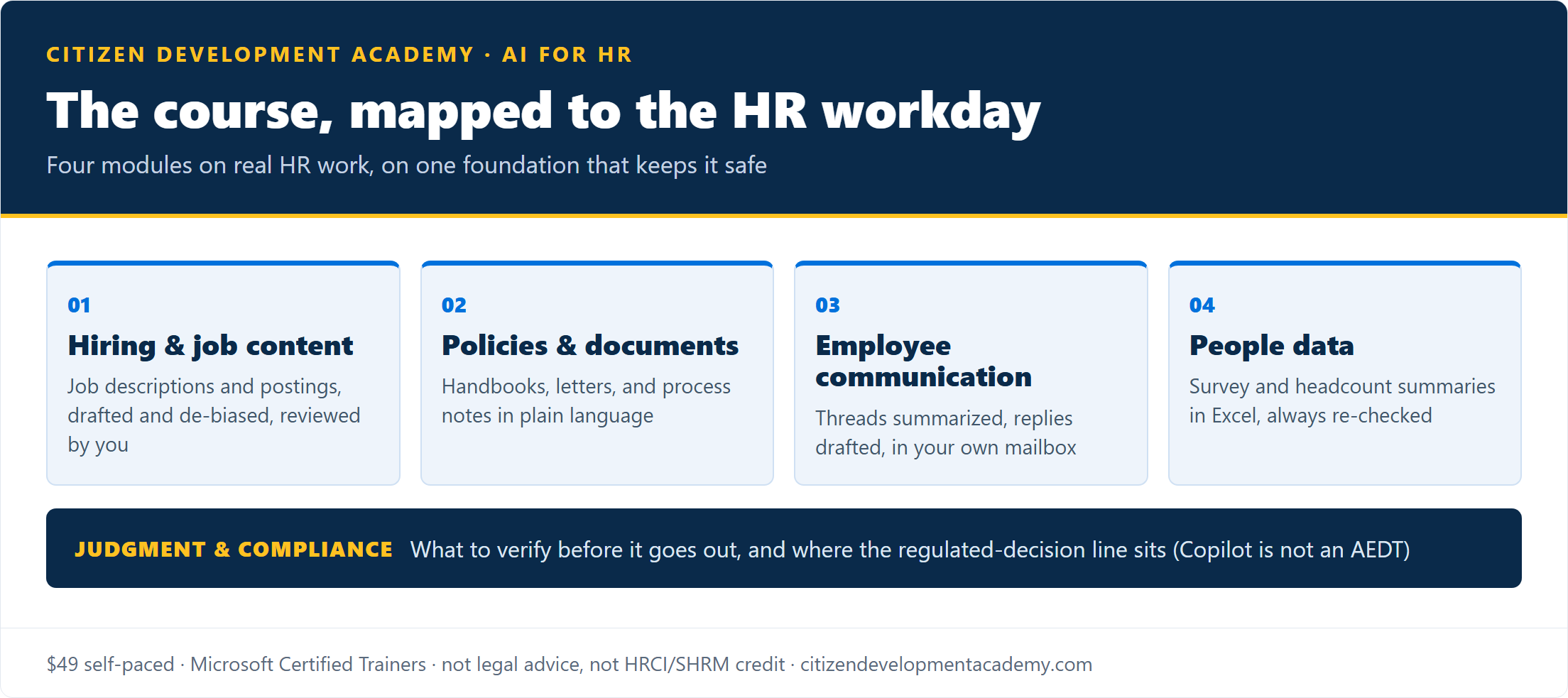
The course is being built around the HR workday, not around app features. There will be a module each for hiring and job content, policies and documents, employee communication, and people data, plus the judgment-and-compliance layer: what to verify before anything goes out under your name, and where the regulated-decision line sits.
What it is, plainly:
- Self-paced modules with monthly live office hours, built and taught by Microsoft Certified Trainers from a Microsoft Learning Partner.
- Built for HR professionals in Microsoft 365 shops; every exercise is an HR task, not a generic demo.
- $49, one-time.
And what it is not:
- Not HRCI or SHRM recertification credit, stated plainly above.
- Not legal or compliance advice, and not a substitute for a bias audit on an actual decision tool.
- Not a certification or generic AI literacy course.
- Not a change to your confidentiality obligations. Assume Copilot can draw on anything your account can open: employee data you would not forward, you should not paste. Your organization’s data policies still apply.
- Not a promise that Copilot output is ready to send. Names, numbers, and policy details still get verified by you.
- Not a Copilot license. The hands-on work needs a Microsoft 365 Copilot seat; exercises that run on the free browser Copilot will be marked.
Enrollment is not open yet; it opens when the first module set clears review. The five prompts above are yours either way. The waitlist gets the launch schedule first, the full access terms and refund policy before checkout opens, and enrollment before the public launch.
Training an HR team rather than yourself?
If you are upskilling a whole HR function rather than one person, private cohort delivery is the better shape: the sessions use your job templates, your policies, and your tools. See Power Platform training for corporate teams, or use the waitlist form and mention your team size. For adjacent roles, we run the same applied model for accountants and executive assistants.
Built by a Microsoft Learning Partner

Citizen Development Academy is a Microsoft Learning Partner. Partner status governs the standards under which we deliver Microsoft official training; this course is our own curriculum, and Microsoft does not endorse or review it. Our live classes are delivered by Microsoft Certified Trainers, and the same people are building this course.
FAQ
What can Copilot actually do for an HR professional?
Inside Microsoft 365: first-draft job descriptions, policies, and letters in Word; summarize and draft employee and candidate email in Outlook (in your own mailbox); recap recorded interview debriefs and meetings in Teams; and summarize survey or headcount data in Excel. The leverage comes from how much HR work already lives in those apps. It drafts and summarizes; you decide.
Does this course count for HRCI or SHRM credit?
No. It carries a completion certificate only; Citizen Development Academy is not a current HRCI or SHRM recertification provider. If recertification credit is your priority this cycle, credit-bearing options exist from established providers, listed honestly above.
Is it legal to use AI in hiring?
Using Copilot to draft postings or summarize notes is ordinary writing assistance. Using an AI system to screen, rank, or score candidates is an automated employment decision tool and, where laws like NYC’s Local Law 144 apply, requires a bias audit, published results, and candidate notice. The course teaches where that line sits; it is not legal advice, and an actual decision tool needs its own audit and counsel.
Do I need to know how to code?
No. Everything on this page and in the course is prompting and configuration, not programming.
What Microsoft 365 Copilot license do I need?
The hands-on exercises use a Microsoft 365 Copilot seat, working in your own mailbox and files. Exercises that run on the free browser Copilot will be marked, but the in-app workflows above need the paid seat.
How much does it cost, and when does it open?
One-time $49, self-paced with monthly live office hours. Enrollment opens when the first module set clears review; the waitlist gets the launch schedule first.